
Manage Documents and Chunks
After creating a dataset, you can check document processing status, manage document enablement, and open the document detail page to review and adjust chunks.
Document List
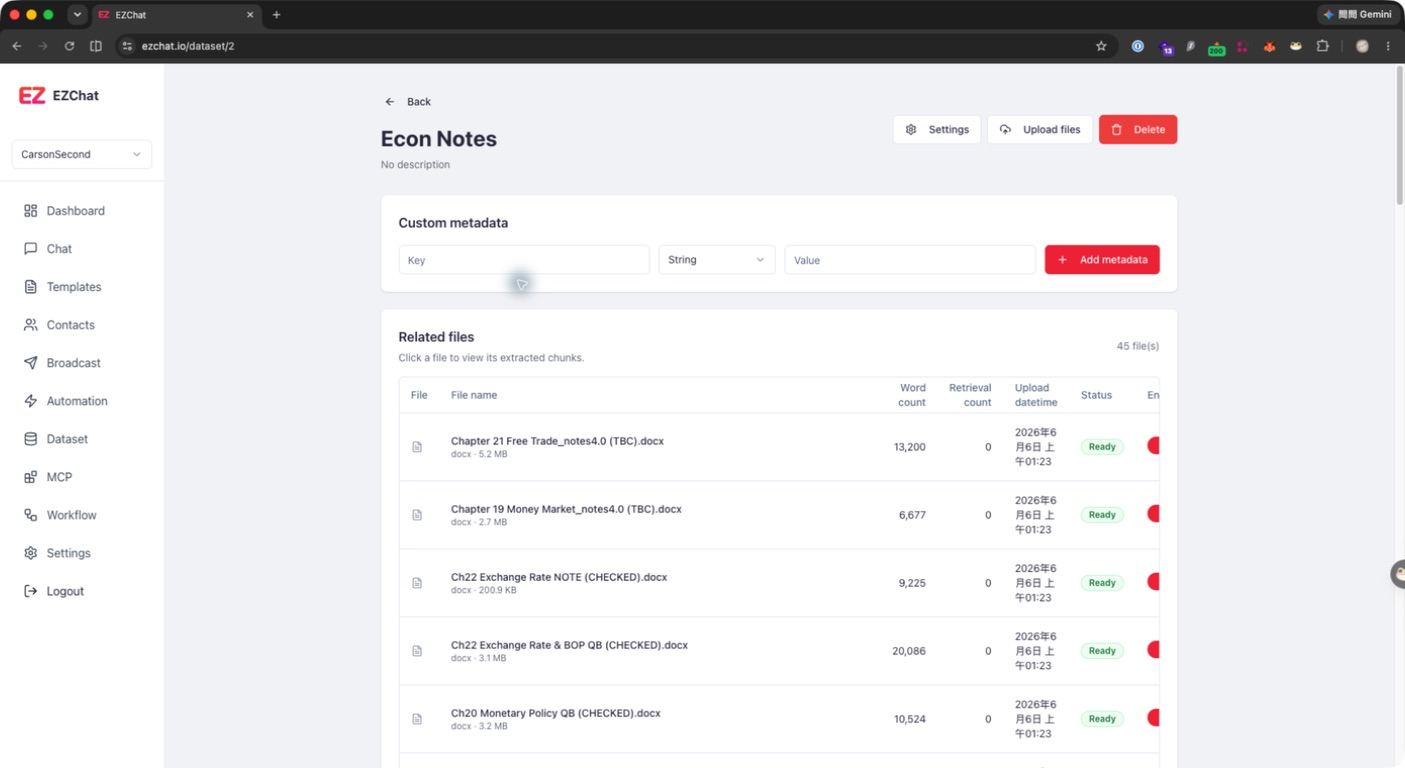
After opening a dataset, the related files list appears below:
| Field | Description |
|---|---|
| File name | Document name, extension, and file size. |
| Words | Parsed word count. |
| Retrievals | Number of times the document was retrieved. |
| Uploaded at | Time when the document was added to the dataset. |
| Status | Pending, processing, completed, or failed. |
| Enabled | Controls whether the document participates in retrieval. |
| Actions | View, download, rename, archive, or delete. |
Manage Documents
You can perform these actions from the document list:
- View: Open the document detail page to review metadata and chunks.
- Download: Download the original file.
- Rename file name: Update only the display file name. The original uploaded file is not changed.
- Archive: Archive the document.
- Delete: Delete the document.
- Enable / Disable: Control whether the whole document can be retrieved.
Document Details
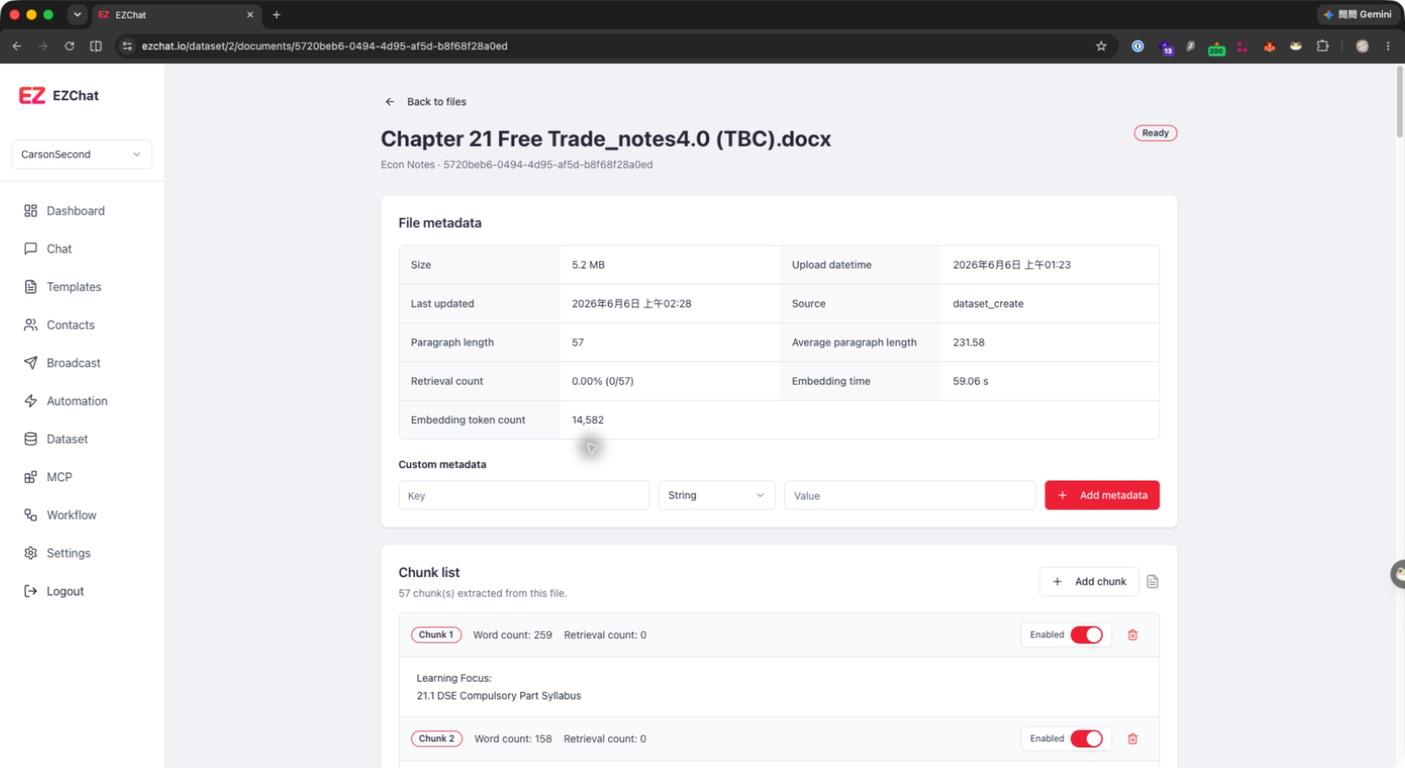
After clicking a document row, the document detail page shows:
- File size
- Uploaded time
- Last updated time
- Source
- Paragraph length
- Average paragraph length
- Retrieval count
- Embedding time
- Embedding token count
Manage Chunks
The lower part of the document detail page shows the chunk list. Each chunk displays:
- Chunk number
- Word count
- Retrieval count
- Enabled status
- Content preview
You can:
- Click the chunk content to open the edit dialog.
- Update the chunk text.
- Click Update chunk. EZChat updates the chunk and regenerates its embedding vector.
- Use the switch to disable chunks that should not be retrieved.
- Click the delete button to remove unwanted chunks.
- Click Add chunk to manually add a new chunk.
Note
After you edit or add a chunk, EZChat regenerates its embedding vector. Before production use, review retrieval results to confirm the updated content behaves as expected.