
Manage Metadata
Metadata can label a dataset or an individual document, which helps with later classification, filtering, and retrieval strategy design. EZChat currently supports custom metadata on both dataset detail pages and document detail pages.
Metadata Types
Each metadata field contains a key, type, and value:
| Type | Usage |
|---|---|
| String | Text labels such as product line, region, or document type. |
| Number | Numeric values such as version, year, or priority. |
| Time | Time values such as effective date, expiry date, or document update time. |
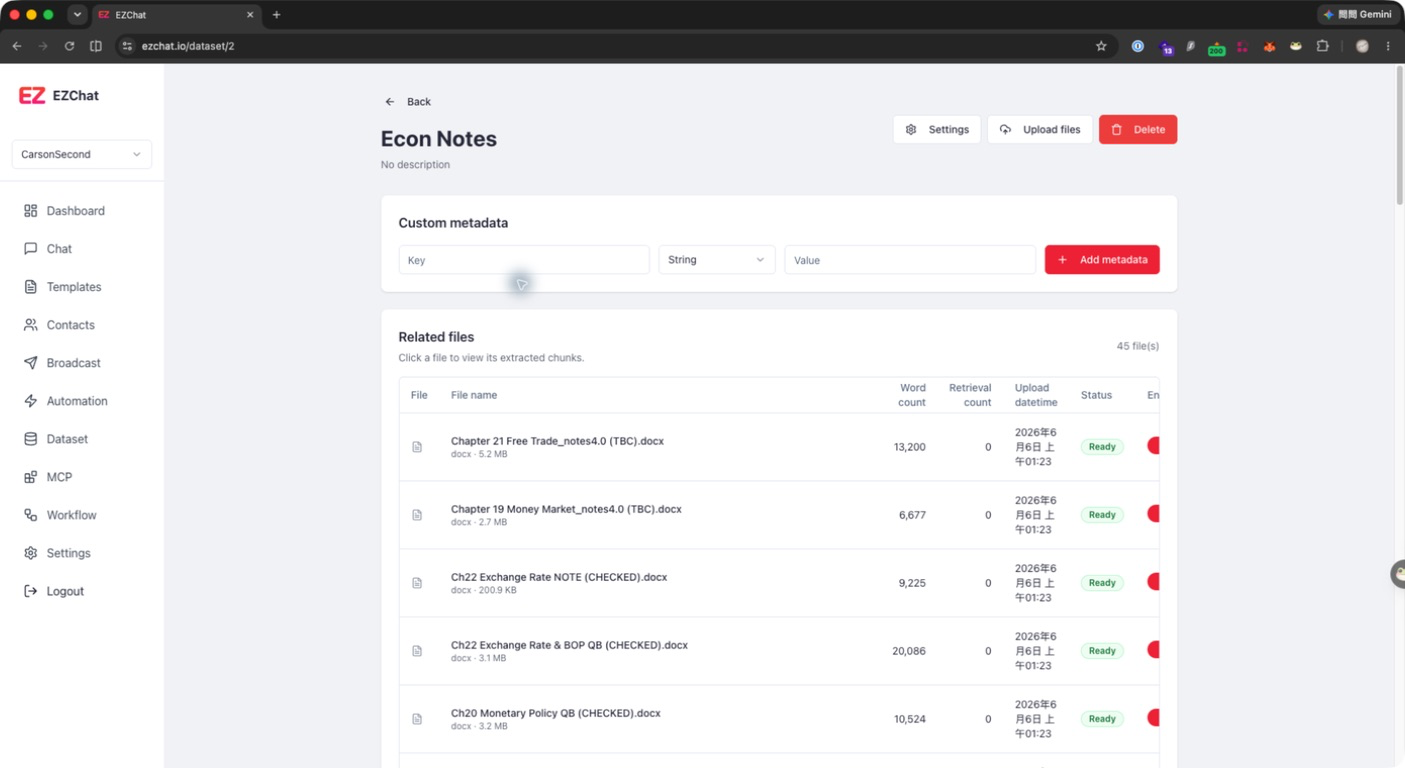
Manage Dataset Metadata
- Open the target dataset.
- Enter a key in the Custom metadata area.
- Select a type: String, Number, or Time.
- Enter a value.
- Click Add metadata.
- To remove metadata, click the delete button on the right side of the row.
Manage Document Metadata
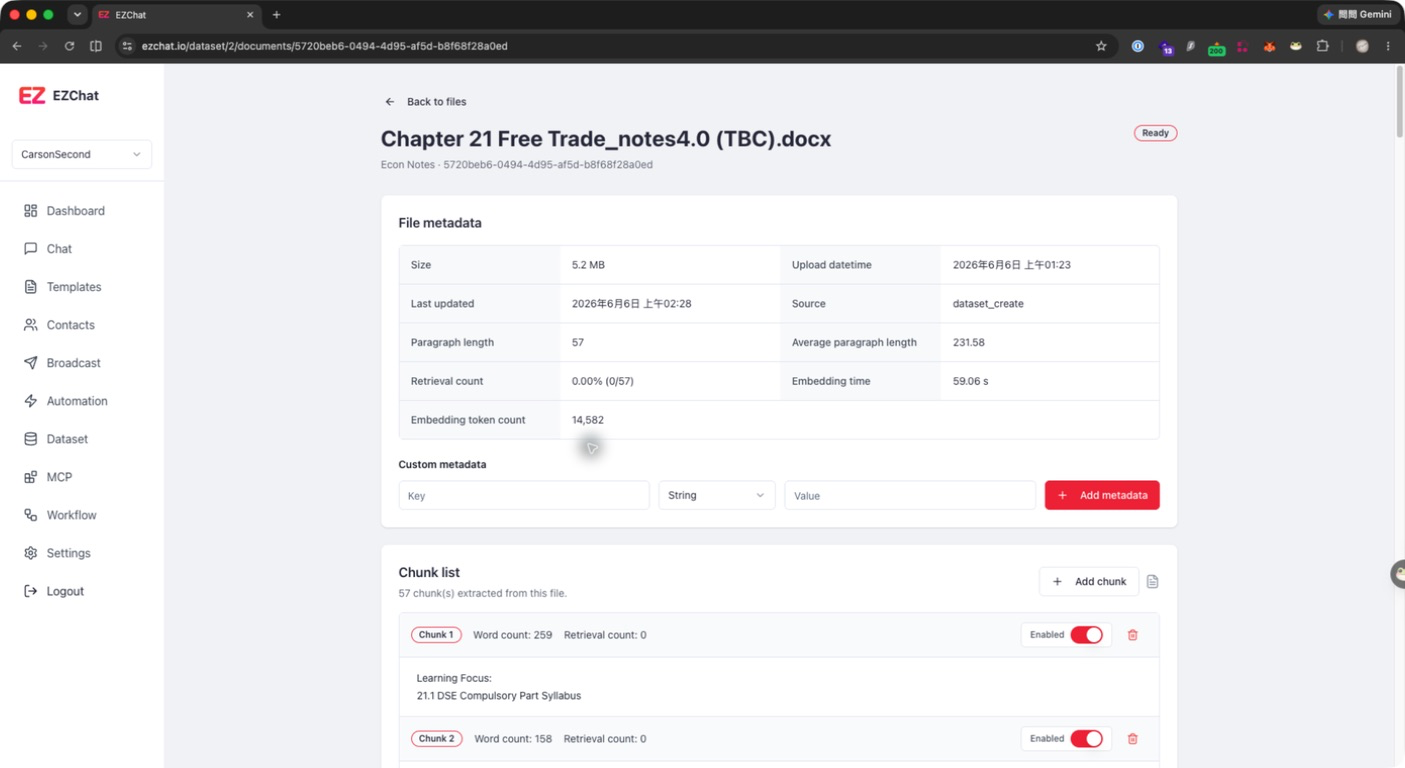
- Open the dataset.
- Click the target document.
- Add metadata in the Custom metadata area on the document detail page.
- Remove metadata that is no longer needed.
Document metadata is useful for recording document-level information such as source, applicable product, version, or effective date.
Design Recommendations
- Use stable key names, such as
product,region,version, andeffective_date. - Keep the same type for the same purpose. Avoid using String in one place and Number in another for the same field.
- Do not put sensitive data into metadata, because metadata may be referenced by retrieval or debugging flows later.
- If metadata will be used for filtering, avoid overly free-form values, such as using
HK,Hong Kong, and香港for the same region.