
End Node
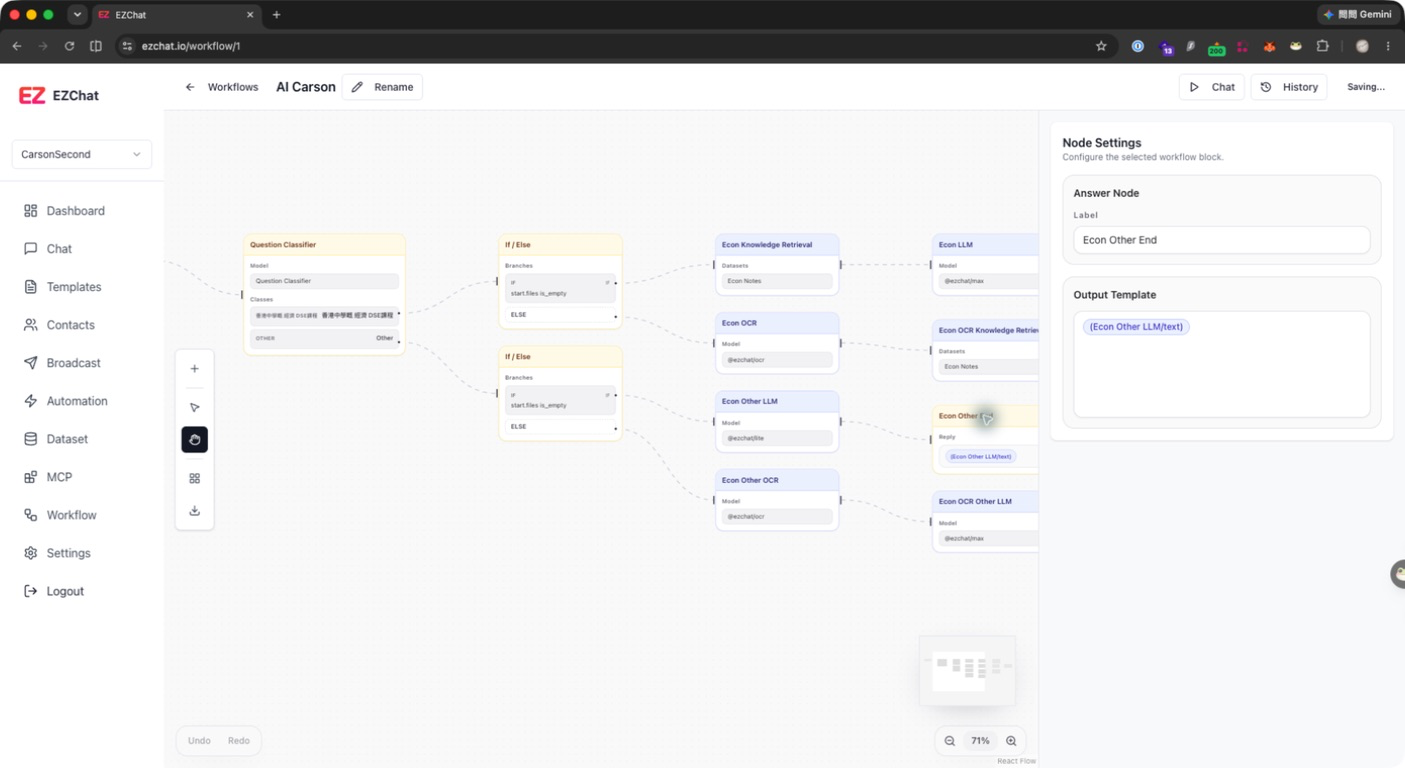
The End node defines the final content returned by a workflow. You can use an output template to combine upstream variables into the final answer shown to the user.
Configurable Fields
| Field | Description |
|---|---|
| Label | Node name. |
| Output Template | Final output template. It can insert variables from upstream nodes. |
Available Variables
The End node can reference outputs from other nodes, for example:
| Node | Common fields |
|---|---|
| Start | query, files |
| LLM / Agent | text, usage, model |
| Question Classifier | class_id, class_name, keywords |
| Knowledge Retrieval | documents |
| HTTP | status_code, body, headers |
Variable format is usually:
text
{{#llm.text#}}Setup Steps
- Select the End node.
- Confirm the Label is clear, such as
Final Answer. - Write the final response in Output Template.
- Insert required upstream variables.
- Run the workflow and check the message the user actually receives.
Recommendations
- If you only need the LLM answer, output
{{#llm.text#}}directly. - If there are multiple model or API results, add clear headings in the template.
- Avoid returning large JSON directly. If needed, use an LLM node first to convert it into readable content.