
LLM Node
The LLM node calls a language model to generate text, analyze content, or transform data. It can use upstream variables, chat memory, file variables, and custom messages.
Quick Understanding
The LLM Node takes upstream data, combines it into a prompt, and asks AI for a response. A common pattern is to include the user question, Dataset retrieval results, and system rules in the prompt.
Configurable Fields
| Field | Description |
|---|---|
| Label | Node name. |
| Model | Model profile used by the node. |
| Enable Chat Memory | Whether to include recent conversation memory. |
| Memory Messages | Number of recent messages to include when memory is enabled, from 1 to 50. |
| Context Variable | Selects an upstream output as context. |
| Files Variable | Selects a file variable. Defaults to sys.files. |
| Messages | Configures system, user, and assistant messages. |
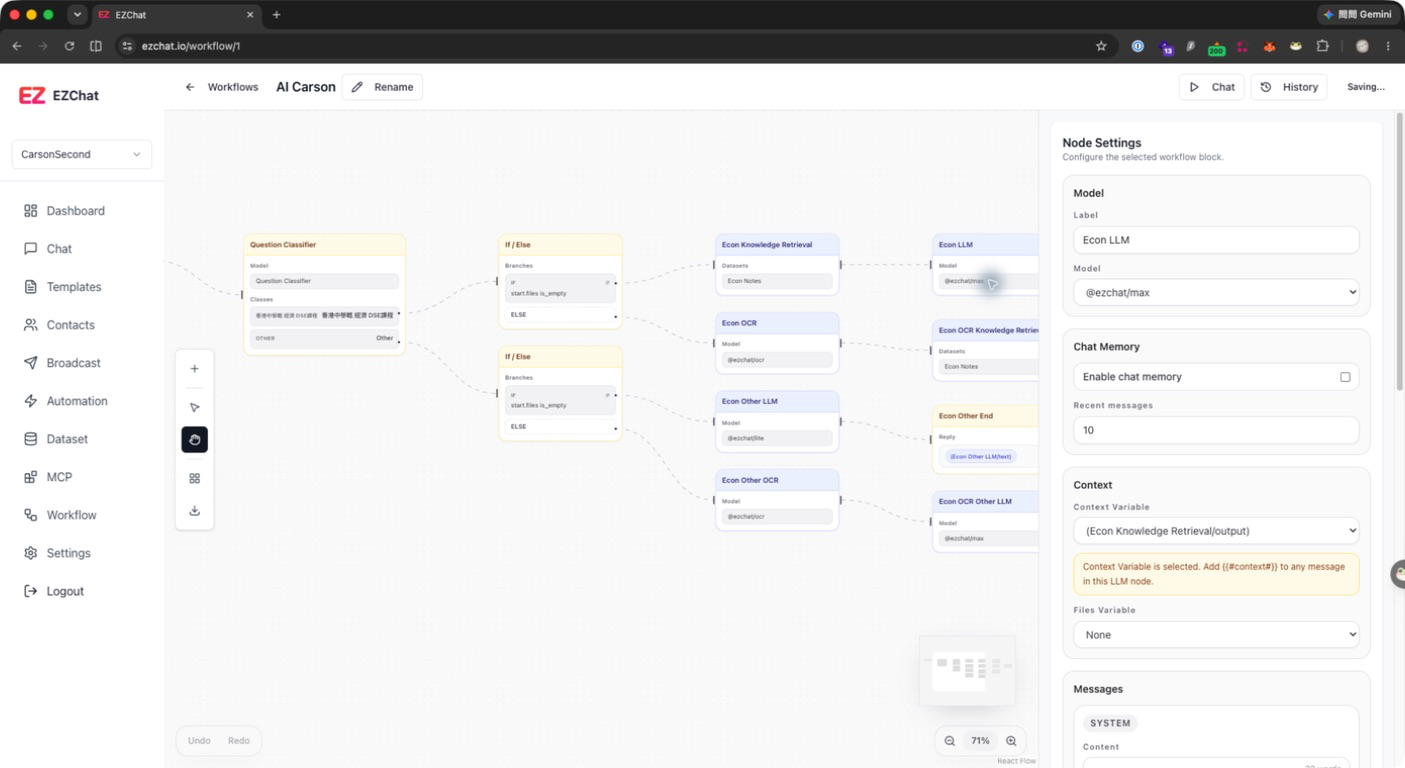
Messages
The LLM node includes by default:
- system message: defines the model role and behavior.
- user message: references
{{#sys.query#}}and{{#sys.files#}}by default.
You can add user or assistant messages and insert upstream variables in the content. If a Context Variable is selected, include {{#context#}} in the prompt; otherwise, the context is not explicitly placed into the model input.
Common Outputs
The LLM node provides these fields to downstream nodes:
| Field | Description |
|---|---|
text | Text generated by the model. |
usage | Token usage data. |
model | Model used by the node. |
Recommendations
- Write stable rules in the system message, such as tone, format, and prohibited actions.
- Clearly reference
{{#sys.query#}}or upstream variables in the user message. - To use knowledge retrieval results, first get documents from a Knowledge Retrieval node and set them as the context variable.
- When chat memory is enabled, too many history messages can increase cost and distract the answer.