
Dataset Overview
Datasets organize knowledge that can be retrieved by AI workflows. You can create datasets, upload documents, review processing status, manage chunks and metadata, and use the content from Knowledge Retrieval nodes in workflows.
Quick Understanding
A Dataset is where you store different types of documents, such as doc, ppt, txt, pdf, csv, xls, and md files. After documents are added to a Dataset, EZChat processes them into knowledge that AI can search and reference.
What Datasets Can Do
- Manage knowledge documents for a shared purpose, such as support manuals, product FAQs, or internal SOPs.
- Process uploaded documents into searchable chunks.
- Enable or disable an entire document to control whether it participates in retrieval.
- Review document word count, retrieval count, processing status, and upload time.
- Open the document detail page to add, edit, disable, or delete chunks.
- Add custom metadata to a dataset or an individual document.
Dataset List
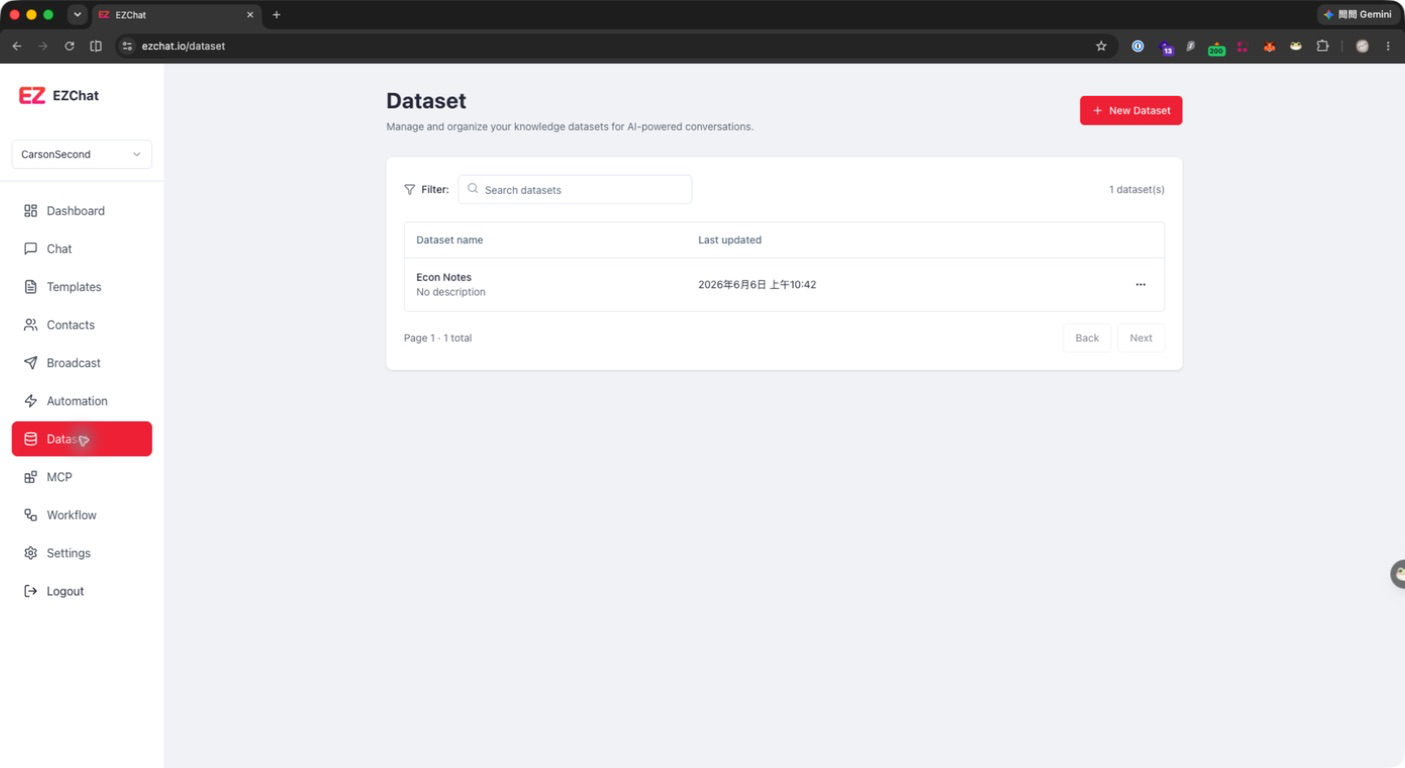
After opening Dataset, EZChat shows the datasets under the current account. The list includes:
| Field | Description |
|---|---|
| Dataset name | Dataset title and description. |
| Last updated | The latest update time of the dataset. |
| Actions | View, rename, or delete the dataset. |
You can filter datasets with the search box, or click New Dataset to create a dataset.
Common Management Entry Points
- Click a dataset row to open its document list.
- Open the row action menu and select View to enter the dataset.
- Open the row action menu and select Rename to update only the display name.
- Open the row action menu and select Delete to soft delete the dataset.
Next Steps
After a dataset is created and document processing is complete, you can use it from a Knowledge Retrieval node in a workflow. Before using it in production, check that the document status is complete and review a few chunks to confirm that the split is reasonable.