Skip to content

Export List Contacts

Export Lists: Export List to a CSV File

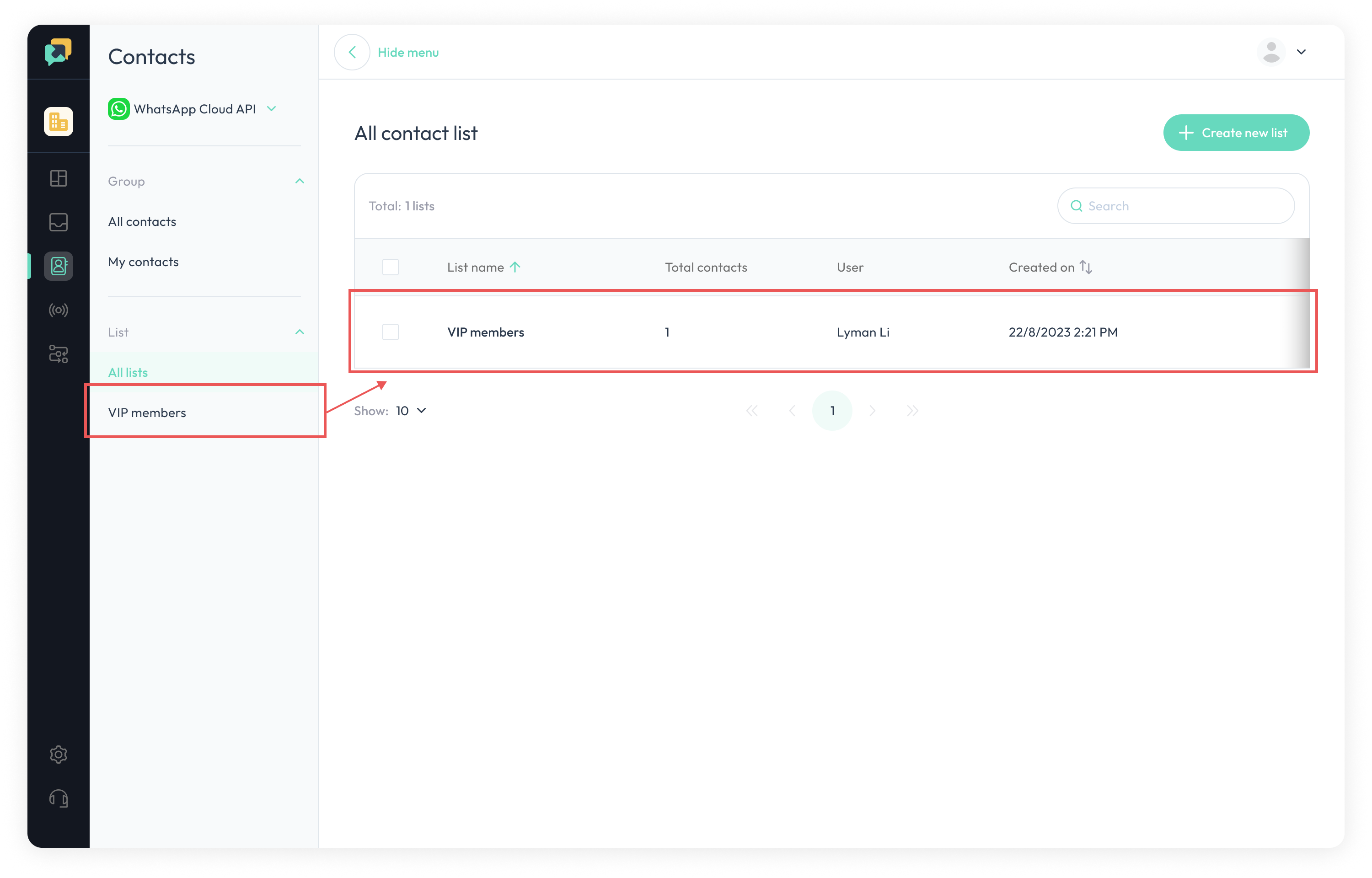
  1. To export a list, go to the

All Listsand click its name.

Contact list.png

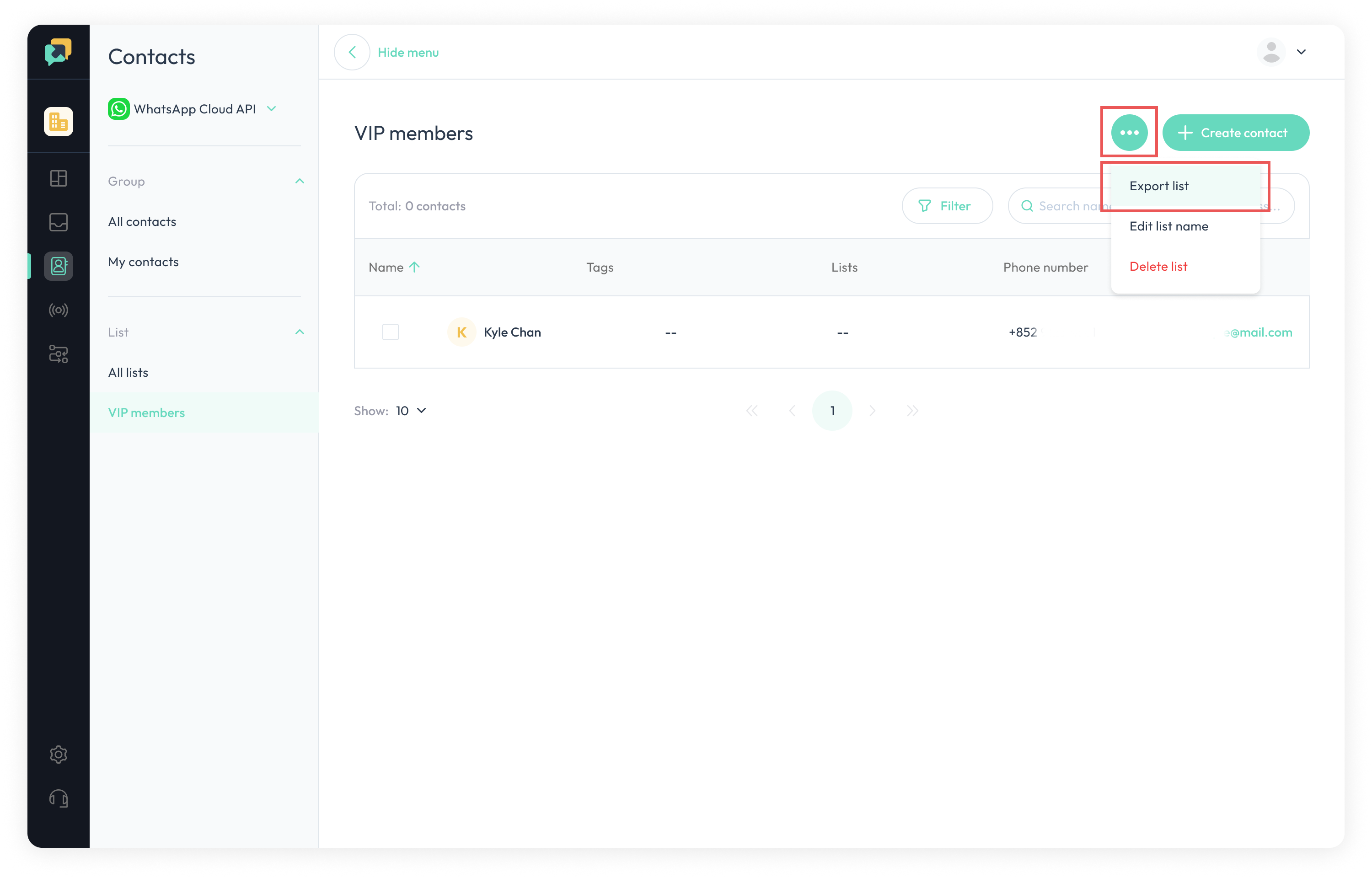
  1. Navigate to the 3 dots in the upper right corner and click

Export List.

Export.png

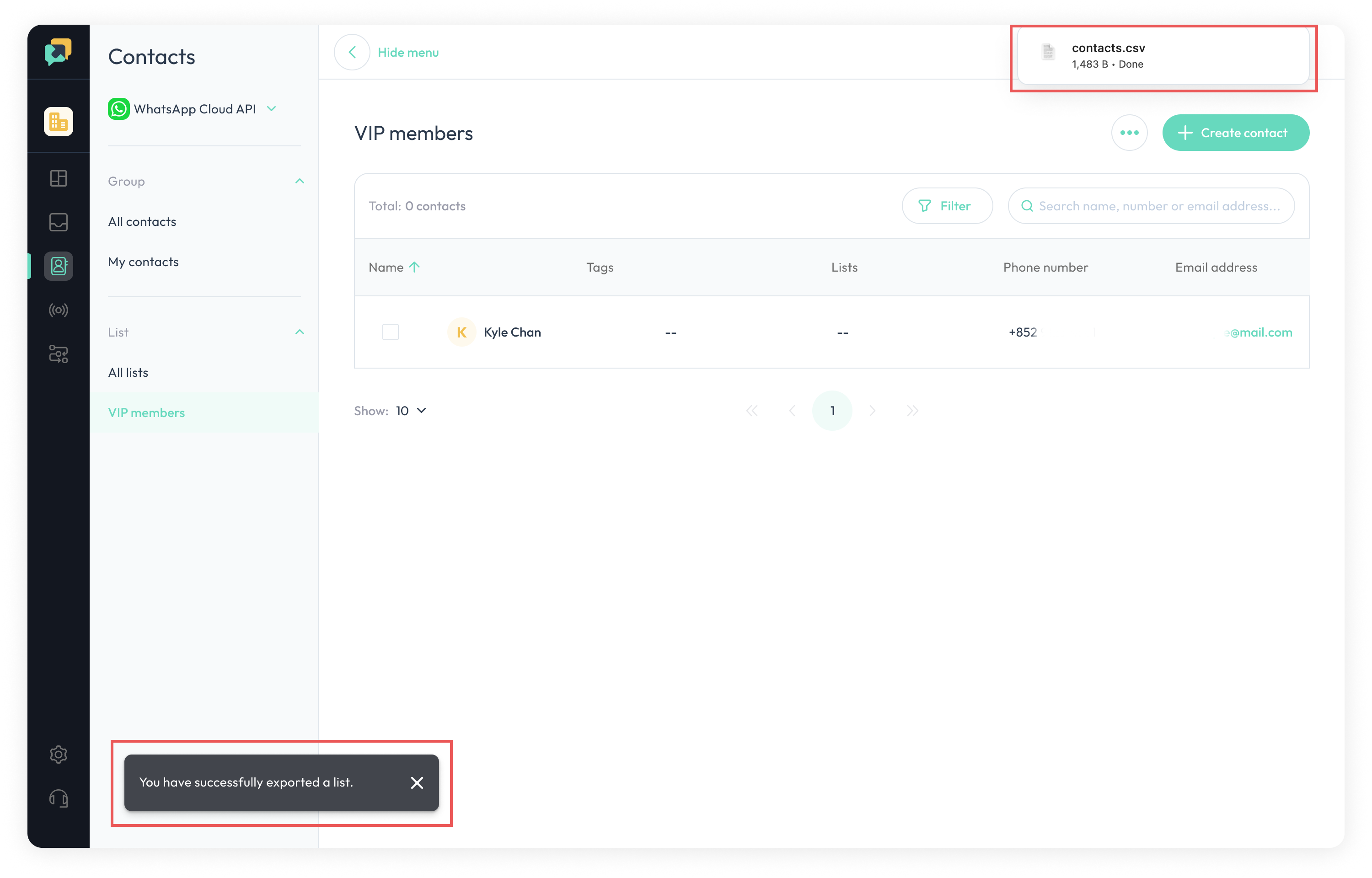
  1. Once export is successful, there will be a

success reminderand the list will be exported as a

CSV file.

Done.png